

OpenClaw一夜爆火,今天也带来一期OpenClaw部署教程。
nodejs环境准备
openclaw可以运行在windows、mac OS、Linux等操作系统中,如果有条件推荐使用mac OS,很多agent skill在mac OS上是天然支持的,其他系统部分agent skill可能无法使用 安装openclaw需要nodejs环境,并且版本要求Node ≥22,我们使用nvm来管理nodejs版本
# Download and install nvm:
curl -o- https://raw.githubusercontent.com/nvm-sh/nvm/v0.40.4/install.sh | bash
# in lieu of restarting the shell
\. "$HOME/.nvm/nvm.sh"
# Download and install Node.js:
nvm install 24
# Verify the Node.js version:
node -v # Should print "v24.14.0".
# Verify npm version:
npm -v # Should print "11.9.0".
安装openclaw
# 安装
npm install -g openclaw@latest
配置openclaw
这里我自定义用了英伟达提供的免费模型,怎么使用英伟达免费模型可以看我另一篇文章OpenClaw接入Nvidia免费大模型,从此实现大模型token自由
openclaw onboard
# 选择 yes 继续
*  I understand this is personal-by-default and shared/multi-user use requires lock-down. Continue?
|  > Yes /   No
# 选择QuickStart
*  Onboarding mode
|  > QuickStart (Configure details later via openclaw configure.)
|    Manual
# 如果已有配置信息会提示,你可以选择使用已有的值,也可以选择更改
o  Existing config detected -----------------+
|                                            |
|  workspace: ~\.openclaw\workspace          |
|  model: 英伟达nvidia/moonshotai/kimi-k2.5  |
|  gateway.mode: local                       |
|  gateway.port: 18789                       |
|  gateway.bind: loopback                    |
|  skills.nodeManager: npm                   |
|                                            |
+--------------------------------------------+
|
*  Config handling
|  > Use existing values
|    Update values
|    Reset
# 选择模型提供者,你可以选择自己使用的大模型,建议可以用minimax或者kimi,也可以选择暂时先忽略,选择菜单最后的Skip for now
*  Model/auth provider
|  > OpenAI (Codex OAuth + API key)
|    Anthropic
|    Chutes
|    vLLM
|    MiniMax
|    Moonshot AI (Kimi K2.5)
|    Google
|    xAI (Grok)
|    Mistral AI
|    Volcano Engine
|    BytePlus
|    OpenRouter
|    Kilo Gateway
|    Qwen
|    Z.AI
|    Qianfan
|    Copilot
|    Vercel AI Gateway
|    OpenCode Zen
|    Xiaomi
|    Synthetic
|    Together AI
|    Hugging Face
|    Venice AI
# 通过提供商过滤模型,这里我配置了英伟达的提供商,默认是没有的,当然这步也可以选择菜单最后的Skip for now跳过模型配置这步
*  Filter models by provider
|    All providers
|  > 英伟达nvidia (4 models)
|    amazon-bedrock
|    anthropic
|    azure-openai-responses
|    cerebras
|    github-copilot
|    google
|    google-antigravity
|    google-gemini-cli
|    google-vertex
|    groq
|    huggingface
|    kimi-coding
|    minimax
|    minimax-cn
|    mistral
|    nvidia
|    openai
|    openai-codex
|    opencode
|    openrouter
|    vercel-ai-gateway
|    xai
|    zai
# 选择提供商的模型
o  Filter models by provider
|  英伟达nvidia
|
*  Default model
|  > Keep current (英伟达nvidia/moonshotai/kimi-k2.5)
|    Enter model manually
|    英伟达nvidia/z-ai/glm-5
|    英伟达nvidia/moonshotai/kimi-k2.5
|    英伟达nvidia/minimaxai/minimax-m2.1
|    英伟达nvidia/qwen/qwen3.5-397b-a17b
# 选择社交app,这步可以先略过,部署完之后再配也可以
*  Select channel (QuickStart)
|    Telegram (Bot API)
|    WhatsApp (QR link)
|    Discord (Bot API)
|    IRC (Server + Nick)
|    Google Chat (Chat API)
|    Slack (Socket Mode)
|    Signal (signal-cli)
|    iMessage (imsg)
|    Feishu/Lark (飞书)
|    Nostr (NIP-04 DMs)
|    Microsoft Teams (Bot Framework)
|    Mattermost (plugin)
|    Nextcloud Talk (self-hosted)
|    Matrix (plugin)
|    BlueBubbles (macOS app)
|    LINE (Messaging API)
|    Zalo (Bot API)
|    Zalo (Personal Account)
|    Synology Chat (Webhook)
|    Tlon (Urbit)
|  > Skip for now (You can add channels later via `openclaw channels add`)
# 安装skills
o  Skills status -------------+
|                             |
|  Eligible: 7                |
|  Missing requirements: 40   |
|  Unsupported on this OS: 8  |
|  Blocked by allowlist: 0    |
|                             |
+-----------------------------+
|
*  Configure skills now? (recommended)
|  > Yes /   No
# 选择你需要安装的skill,当然也可以先忽略
*  Install missing skill dependencies
|  [•] Skip for now (Continue without installing dependencies)
|  [ ] 🔐 1password
|  [ ] 📰 blogwatcher
|  [ ] 🫐 blucli
|  [ ] 📸 camsnap
|  [ ] 🧩 clawhub
|  [ ] 🎛️ eightctl
|  [ ] ♊️ gemini
|  [ ] 🧲 gifgrep
|  [ ] 🐙 github
|  [ ] 🎮 gog
|  [ ] 📍 goplaces
|  [ ] 📧 himalaya
|  [ ] 📦 mcporter
|  [ ] 🍌 nano-banana-pro
|  [ ] 📄 nano-pdf
|  [ ] 💎 obsidian
|  [ ] 🎙️ openai-whisper
|  [ ] 💡 openhue
|  [ ] 🧿 oracle
|  [ ] 🛵 ordercli
|  [ ] 🗣️ sag
|  [ ] 🌊 songsee
|  [ ] 🔊 sonoscli
|  ...
# 如果选择安装skill后会让你选择用什么方式安装,这里我们选npm后开始安装,有一些skill是需要配置api密钥的,如果有就配置上,也可以先略过安装完后再配置
o  Install missing skill dependencies
|  🔐 1password, 📰 blogwatcher, 🫐 blucli , 📸 camsnap, 🧩 clawhub , 🎛️ eightctl , ♊️ gemini, 🧲 gifgrep , 🐙
|  github, 🎮 gog, 📍 goplaces, 📧 himalaya, 📦 mcporter, 🍌 nano-banana-pro, 📄 nano-pdf, 💎 obsidian, 🎙️
|  openai-whisper, 💡 openhue, 🧿 oracle , 🛵 ordercli, 🗣️ sag , 🌊 songsee, 🔊 sonoscli, 🧾 summarize , 🎞️
|  video-frames, 📱 wacli, 𝕏 xurl
|
*  Preferred node manager for skill installs
|  > npm
|    pnpm
|    bun
# 配置密钥,如果有就配置,没有也可以先不配置,安装完后申请了密钥后再配置
*  Set GOOGLE_PLACES_API_KEY for goplaces?
|    Yes / > No
# 配置hooks,建议都选上
o  Hooks ------------------------------------------------------------------+
|                                                                          |
|  Hooks let you automate actions when agent commands are issued.          |
|  Example: Save session context to memory when you issue /new or /reset.  |
|                                                                          |
|  Learn more: https://docs.openclaw.ai/automation/hooks                   |
|                                                                          |
+--------------------------------------------------------------------------+
|
*  Enable hooks?
|  [ ] Skip for now
|  [+] 🚀 boot-md (Run BOOT.md on gateway startup)
|  [+] 📎 bootstrap-extra-files (Inject additional workspace bootstrap files via glob/path patterns)
|  [+] 📝 command-logger (Log all command events to a centralized audit file)
|  [+] 💾 session-memory (Save session context to memory when /new or /reset command is issued)
# 这样我们就部署完成了,重启openclaw即可,如果是第一次安装会自动启动gateway
o  Gateway service runtime --------------------------------------------+
|                                                                      |
|  QuickStart uses Node for the Gateway service (stable + supported).  |
|                                                                      |
+----------------------------------------------------------------------+
|
*  Gateway service already installed
|  > Restart
|    Reinstall
|    Skip
# 启动完后会提示你要如何跟openclaw交互, 我们可以选择打开webui界面
o  Token ---------------------------------------------------------------------------------+
|                                                                                         |
|  Gateway token: shared auth for the Gateway + Control UI.                               |
|  Stored in: ~/.openclaw/openclaw.json (gateway.auth.token) or OPENCLAW_GATEWAY_TOKEN.   |
|  View token: openclaw config get gateway.auth.token                                     |
|  Generate token: openclaw doctor --generate-gateway-token                               |
|  Web UI stores a copy in this browser's localStorage (openclaw.control.settings.v1).    |
|  Open the dashboard anytime: openclaw dashboard --no-open                               |
|  If prompted: paste the token into Control UI settings (or use the tokenized dashboard  |
|  URL).                                                                                  |
|                                                                                         |
+-----------------------------------------------------------------------------------------+
|
*  How do you want to hatch your bot?
|    Hatch in TUI (recommended)
|  > Open the Web UI
|    Do this later
WebUi使用
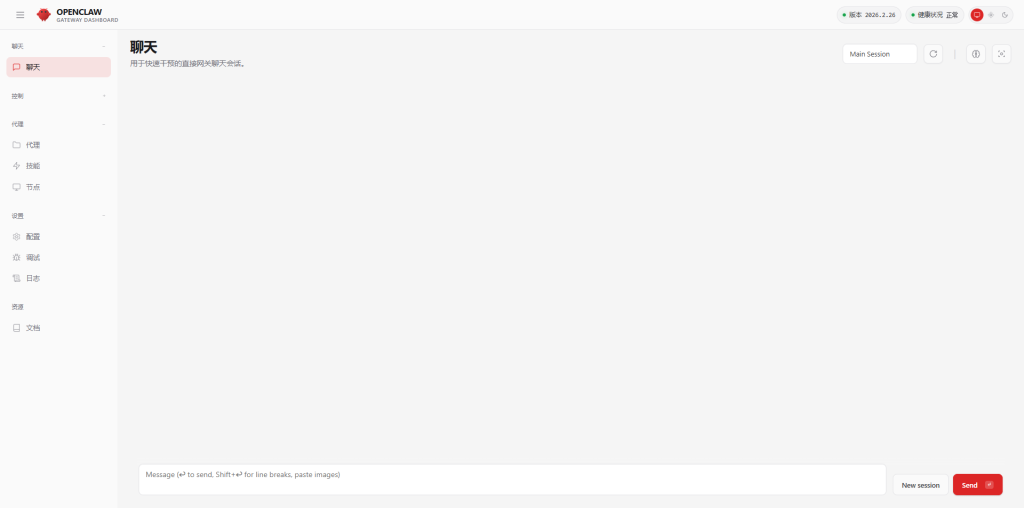
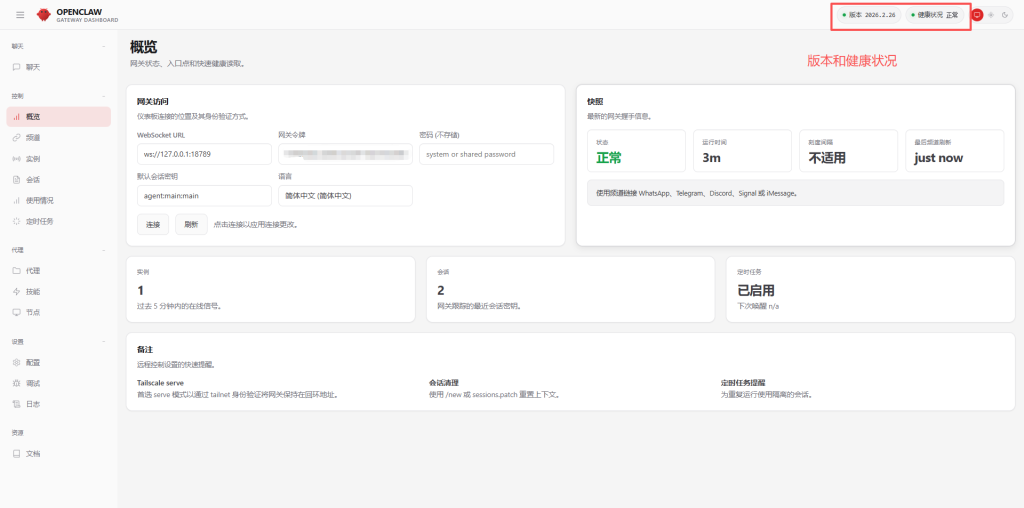
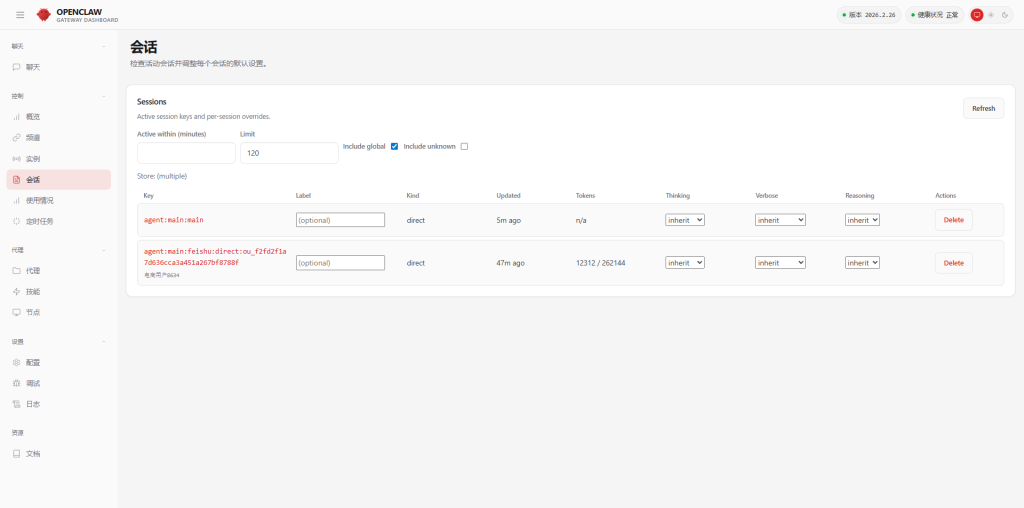
启动 关闭命令
# 启动
openclaw gateway start
# 关闭
openclaw gateway stop
# 重启
openclaw gateway restart